
Frequently Asked Questions
Have a question? We have the answer!
Believe it or not, you are not the first person to have a question about some of the library's resources! Check out some of the most common questions we are asked. If you don't see the answer to your question below, please feel free to call us at (217) 424-2900, and we will gladly help you out.
Electronic Resources
How do I get an eCard?
Decatur, Illinois, residents who do not have a Decatur Public Library card and would like access to only the eResources collection may apply for an eCard. The card will give you access to the Library’s e-resources collections for 1 year.
After registering for an eCard and you will receive a library barcode and PIN by email to begin accessing the eBook collection.
Please note that in order for your application to be successfully completed, your address must be verified. In 1-5 days you will receive a follow-up postcard to verify your address. If the postcard is returned to us for any reason the card will be suspended.
How do I get a PIN?
You get a PIN when you sign up for your library card. It’s a 4 digit number that allows you access to the online catalog remotely, to log in to certain remote databases, and to get on the Internet computers. Every patron has a PIN if they have a library card…they just might not know it and they can call us, give us their library card number, and we can provide the PIN.
How can I access the Decatur Public Library's eContent and apps?
Please visit our eContent pages to learn how to access and troubleshoot all of the various apps for ebooks, movies, music, TV, audio books, etc.
How do I use Internet computers?
Decatur Public Library offers access to many different types of computers. Whether you have a library card or not, computer access is available, but access varies based on the computer being used and patron status. To learn more about the computer option that would best fit your needs, visit our Computer page.
How do I get on the Library’s WiFi?
Connect your device to the DPL Patron Wireless hotspot and then open your browser. The screen should ask for a username and password, which is your library card number and PIN. If you are a guest or do not have a library card, please ask for a Guest Account at the Computer Help Desk.
Room Rentals
How do I rent a meeting room?
To check meeting room availability, call (217) 421-9712, or fill out a meeting room application and email the application to roomreservations@decaturlibrary.org. If you are a government or non-profit organization click here for a meeting room application and email the application to roomreservations@decaturlibrary.org. You can also use our online application.
To learn more about the rooms, library room rental policies, and costs, visit our Meeting Rooms page.
Borrowing Physical Materials
What are your loan periods?
- Audio-book-CD - Loan period: 28 days | Renewals: 2 | Limits: 20
- Book - Loan period: 28 days | Renewals: 2 | Limits: None
- CD - Loan period: 14 days | Renewals: 2 | Limits: 20
- DVD - Loan period: 14 days | Renewals: 2 | Limits: 20
- Government Docs - Loan period: 14 days | Renewals: 2 | Limits: None
- Juvenile Audio CD - Loan period: 14 days | Renewals: 2 | Limits: 20
- Juvenile Audio-book CD- Loan period: 28 days | Renewals: 2 | Limits: 20
- Juvenile Book - Loan period: 28 days | Renewals: 2 | Limits: None
- Juvenile DVD - Loan period: 14 days | Renewals: 2 | Limits: 20
- Juvenile Periodical - Loan period: 28 days | Renewals: 2 | Limits: 20
- New Material Nonfiction - Loan period: 28 days | Renewals: 2 | Limits: None
- New Material Fiction - Loan period: 14 days | Renewals: 2 | Limits: None
- Periodical - Loan period: 14 days | Renewals: 0 | Limits: 20
Material borrowed from other libraries and checked out at the Decatur Public Library will use their own loan periods.
How much are fines?
Borrowing privileges will be automatically suspended for patrons who have overdue materials on their cards, until the materials are renewed, returned or paid for.
DPL Patrons aren't charged overdue fines for late returns. However items are considered lost on the 30th day overdue and patrons will be billed replacement fees for those items not returned.
Items borrowed from other libraries are subject to the loan period and renewal policies of that library.
To learn more about charges for unreturned materials, click here.
How can I borrow materials from other libraries?
You can visit any library that is a member of Illinois Heartland Library System (IHLS) and check out materials with your Decatur Public Library card. You can also request items from other libraries in our IHLS system to be delivered to Decatur Public Library.
In the online catalog:
- Click request.
- Log in with your Decatur Public Library card patron ID (14-digit barcode) and enter your 4-digit password (PIN).
- Choose where you wish your item to be delivered.
- Decatur Public Library will notify you when it arrives, and you can pick it up at the Check Out Desk.
You can also call the Reference Desk at (217) 421-9731 and have a Librarian request it for you. If an item is not in the IHLS system, it may be obtained from an Illinois library outside of our system. Visit the Reference Desk to find out.
How do you use the new electronic check in/out system in the library?
- Touch the screen for "Check Out".
- Scan your patron ID (14-digit barcode) under the red laser line OR choose to enter the number manually.
- Once the system has accessed your account, place all items on the table beneath the green light. Watch the screen as they're checked out automatically. Let them sit on the pad for several seconds to ensure they are desensitized. We wouldn't want the gate alarms to go off.
- When done, choose to print or email receipt - it shows all of the items checked out and when they are due.
Giving
How can I donate to the library?
Thank you for considering the Decatur Public Library! We accept monetary and material donations, as well as donation of time. To find out how to donate or volunteer, visit our Giving page.
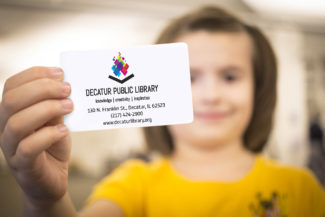
Need a library card?
If you are a Decatur resident, get a digital version online now!
Find Out More →